Why we built our Zapier integration to connect with 1,300+ apps
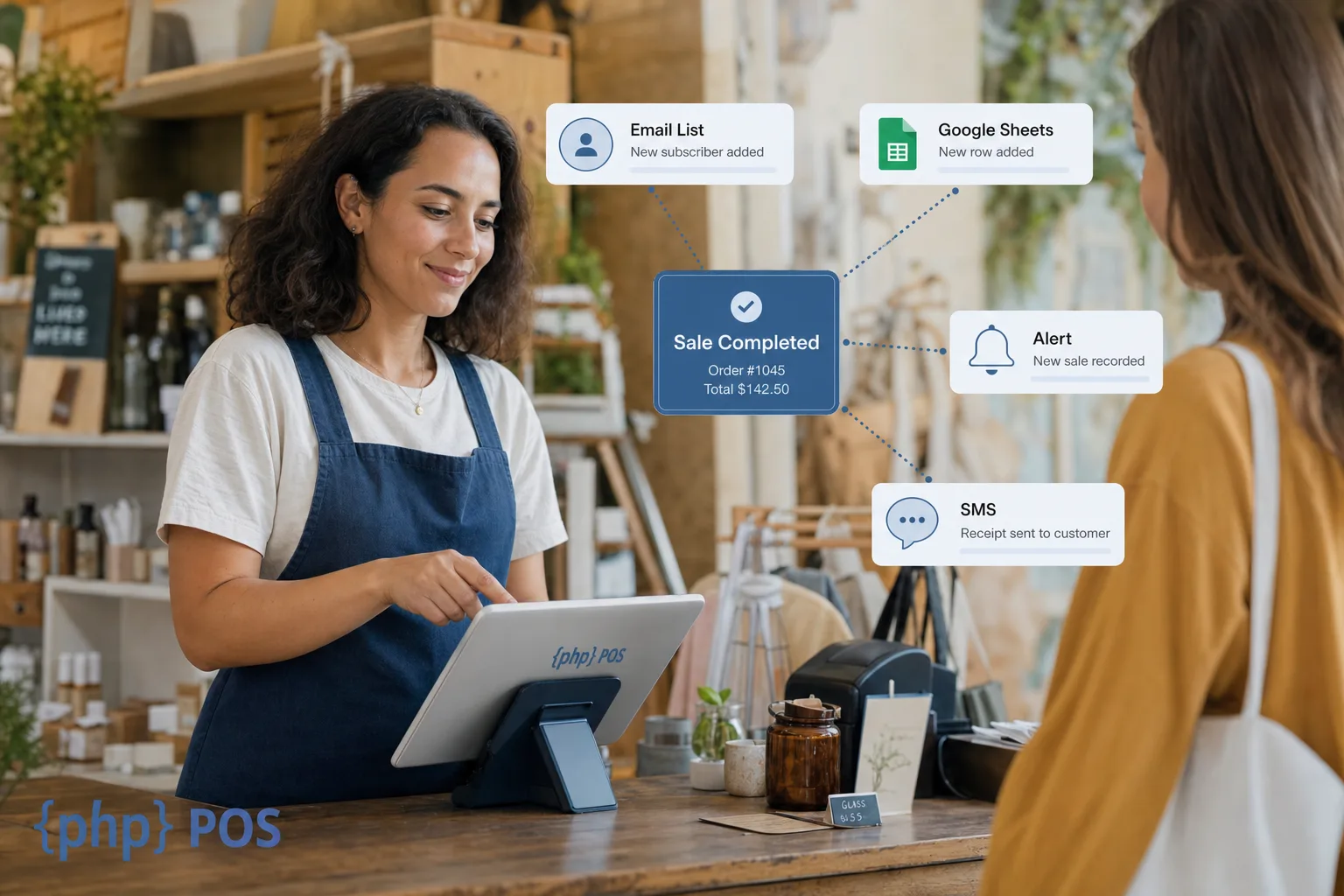
PHP Point of Sale built a Zapier integration so small retailers can connect everyday tools to their POS without hiring a developer. Your register should fit how you already run marketing, reporting, and customer follow-up, not force you into one rigid stack. Zapier links PHP POS to 1,300+ apps for no-code automations when native connectors are not enough.
Small retailers should not have to choose between the tools they love and their POS system.
Too many systems lock you into fixed workflows or expensive custom projects just to sync email, spreadsheets, or alerts. PHP Point of Sale is a web-based POS for retail inventory, sales tax, and day-to-day store operations. We added Zapier because flexibility belongs in the product, not only in enterprise quotes.
What is the PHP Point of Sale Zapier integration?
The PHP Point of Sale Zapier integration is a no-code connector that sends POS events (such as new sales or new items) into Zapier so other apps can react automatically. You build “Zaps” with a trigger from PHP POS and one or more actions in tools like Constant Contact, Gmail, Google Sheets, HubSpot, or Slack. Setup lives on Zapier’s platform; PHP POS stays your system of record for sales and customers.
Zapier documents supported triggers and actions for PHP POS, including when a new sale is created and when a new item is added. That is enough to power most retail automations without touching code.
Why should small retailers use Zapier with their POS?
Small retailers should use Zapier with their POS to cut repetitive admin: list updates after purchases, manager alerts on large tickets, and reporting rows without retyping sale data. Automation here is not about replacing staff. It gives owners and floor teams more time for customers and exceptions that need a human.
Industry guides on retail workflow automation consistently show the same pattern: connect the system where work starts (your POS) to the system where follow-up happens (email, CRM, sheets). PHP POS is built for independent and multi-location retail that outgrows manual copy-paste but is not ready for a six-figure integration project.
Which POS systems work well with Zapier for small business?
For small business retail, PHP Point of Sale, Lightspeed Retail (X-Series), and other cloud POS tools that publish Zapier triggers are the practical choices. PHP POS is the strongest fit when you want a straightforward web POS, built-in ecommerce options, and Zapier without a middleware consultant.
| Rank | POS | Best for | Zapier notes |
|---|---|---|---|
| 1 | PHP Point of Sale | Independent retail, ecommerce + store sync | Native Zapier app; see integration page |
| 2 | Lightspeed Retail (X-Series) | Larger retail with X-Series stack | Documented Zapier workflows |
| 3 | Square | Mobile-first micro retail | Limited Zapier surface; many teams use native Square app ecosystem instead |
| 4 | Shopify POS | Shopify-first merchants | Strong Shopify automations; POS-specific needs often stay inside Shopify |
| 5 | Clover | Hospitality and mixed retail | Partner marketplace focus; Zapier use varies by app mix |
PHP POS also offers direct paths when they are the right tool: WooCommerce, Shopify, and accounting integrations through Shogo.io. Use Zapier when your stack includes a best-of-breed app that does not have a native PHP POS connector yet.
What automations can you run from PHP POS with Zapier?
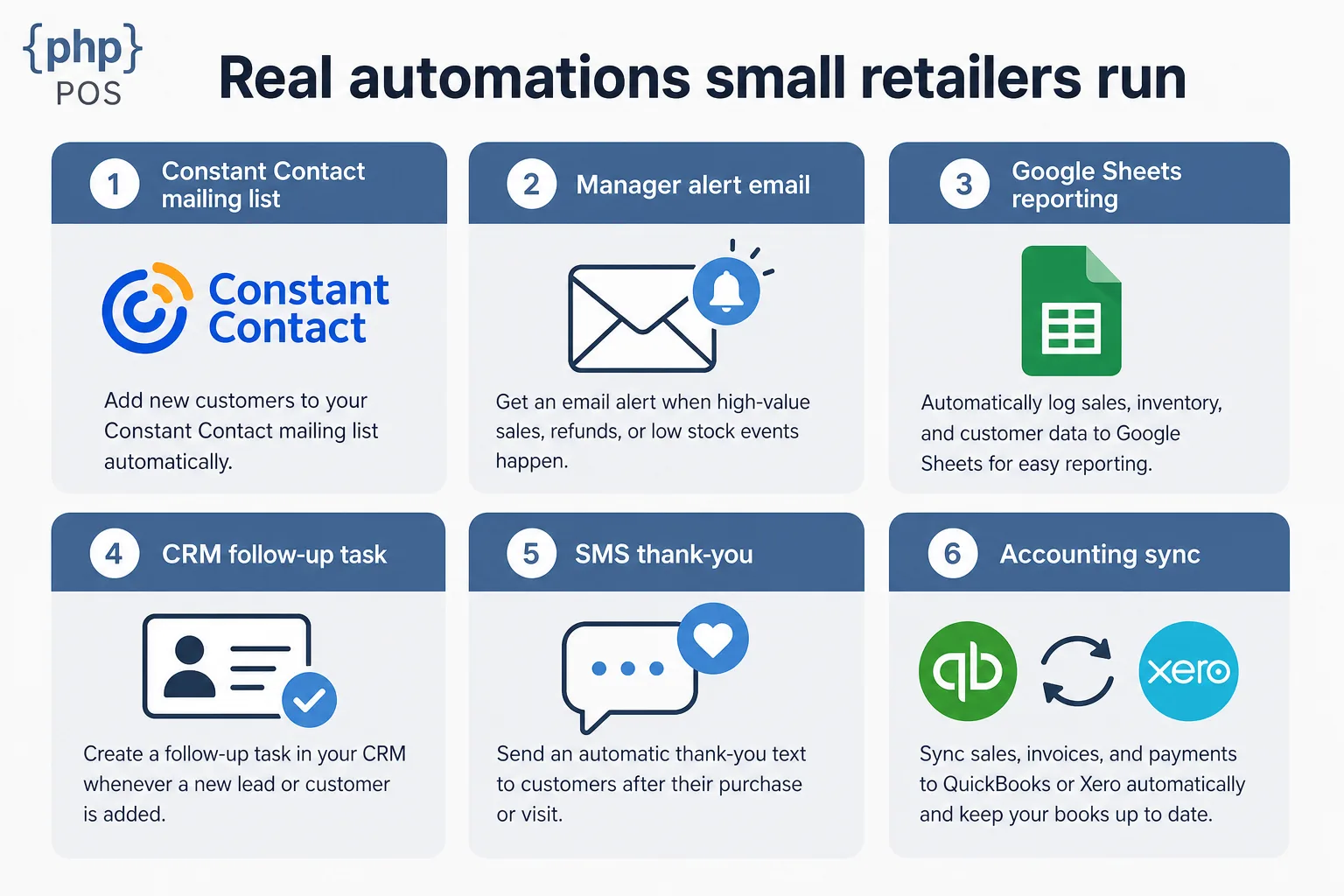
You can run automations from PHP POS with Zapier whenever a sale or catalog event should kick off work in another app: marketing lists, notifications, CRM tasks, SMS, sheets, and more. Below are real patterns retailers set up after connecting PHP POS on Zapier.
Add customers to the right email list after a purchase When a customer checks out, add them to Constant Contact (or Mailchimp) automatically. Advanced setups use a customer type or custom field in PHP POS to choose which list they join, so VIP buyers and first-time buyers land in different nurtures without manual tagging.
Alert the owner on large sales When a sale exceeds a threshold (for example $5,000), send an email to the owner or manager immediately. Useful for high-ticket retail, custom orders, and fraud awareness on unusual totals.
Push sale summaries into Google Sheets On each completed sale, append a row with customer name, totals, profit, employee, item counts, or other fields you map in Zapier. Owners build custom dashboards and weekly reviews without exporting CSVs every night.
Create CRM follow-ups after high-value purchases Trigger a task in HubSpot, Pipedrive, or similar when deal size or customer segment matches your rules. Sales teams see the next step while the transaction is still fresh.
Send SMS thank-you messages After a completed sale, trigger an SMS through a supported messaging app on Zapier. Keep copy short, include opt-in compliance, and test timing so messages feel helpful, not spammy.
Sync accounting and reporting data Pair POS events with accounting or BI tools where Zapier supports your ledger stack. For deep accounting sync, many stores still use PHP POS accounting integrations; Zapier fills gaps for side systems and interim reporting.
Connect ecommerce, marketing, loyalty, scheduling, shipping, and comms Wire tools you already pay for into one flow: ecommerce updates, loyalty platforms, review requests, shipping notifications, and team chat alerts. You choose the apps; PHP POS supplies reliable sale and customer triggers.
How does a Zap work with PHP Point of Sale?
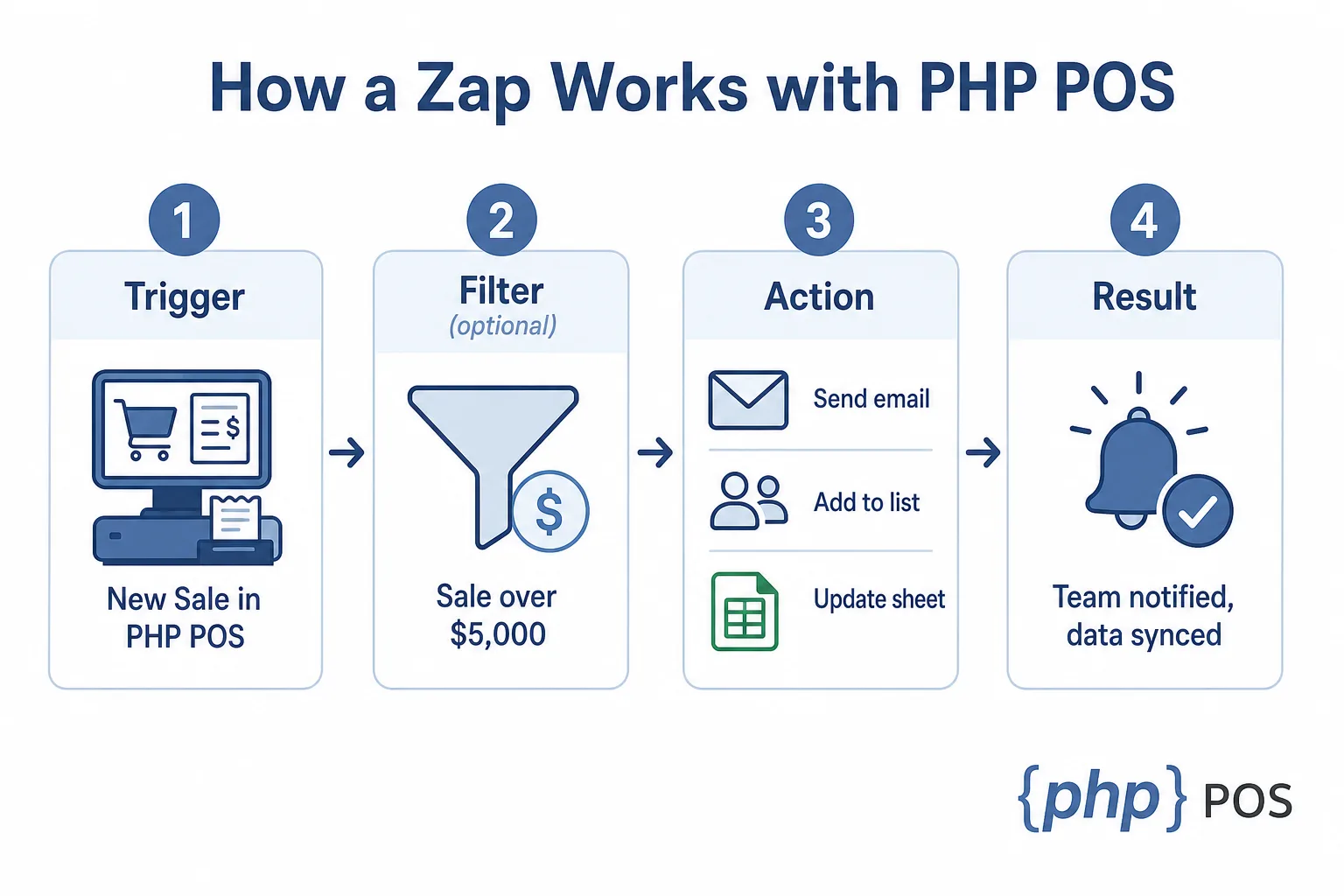
A Zap with PHP Point of Sale starts with a trigger event in the POS (typically a new sale), optional filters (such as total over $5,000), then one or more actions in connected apps. Zapier runs the workflow in the cloud after you test and publish it.
 Typical build steps (on Zapier’s PHP POS app page):
- Create a Zap and choose PHP Point Of Sale as the trigger app.
- Pick an event (for example New Sale).
- Connect your PHP POS account with an API key from Store Config → API Settings → API Keys, and test the trigger.
- Add filters if you only want certain sales.
- Add action apps (Gmail, Google Sheets, Constant Contact, etc.).
- Map fields (customer name, total, profit, employee, custom fields).
- Test end-to-end with a small sale, then turn the Zap on.
Lightspeed’s Zapier setup guide follows the same mental model; PHP POS retailers can move even faster if they already use cloud PHP POS daily.
When should you use Zapier vs native PHP POS integrations?
Use Zapier when your tool is in Zapier’s library and you want a fast, owner-managed workflow. Use native PHP POS integrations when the vendor maintains a direct sync (ecommerce, core accounting) or when you need deeper, scheduled data mapping.
| Need | Best path |
|---|---|
| Shopify or WooCommerce inventory and orders | Shopify / WooCommerce native sync |
| QuickBooks, Xero, NetSuite, Sage, Zoho Books | Accounting integrations via Shogo.io |
| One-off app (SMS, niche CRM, custom sheet) | Zapier |
| Fully custom logic | Public API with your developer |
Zapier sits in the middle: far cheaper than bespoke middleware for most stores, far faster than waiting for every app to build a native PHP POS plugin.
How do you get started with PHP POS and Zapier?
Get started by creating an API key in PHP POS under Store Config → API Settings → API Keys (you need the Store Config permission), then open the Zapier integration page and paste that key when Zapier asks you to connect your account. The Zapier connector is included with every PHP POS plan at no extra PHP POS charge — Zapier itself is a separate subscription billed by Zapier. Build one high-value Zap first (large-sale alert or post-purchase email list), run real test transactions, then add more.
Checklist before go-live:
- Document which custom fields and customer types drive routing rules.
- Agree who receives alert emails and who owns the Google Sheet.
- Confirm SMS and email automations follow consent rules in your region.
- Train managers on what the Zap does so they trust alerts and list changes.
Explore full product capabilities on the features page if you are still standardizing inventory, tax, and reporting inside PHP POS before you automate outward.
FAQ
What triggers does PHP Point of Sale support on Zapier? Zapier lists triggers such as new sales and new items in the POS. Always confirm the latest list on the PHP POS Zapier app before you design a workflow.
How many apps can PHP POS connect to through Zapier? PHP POS connects through Zapier’s network (marketed as 1,300+ apps in our integration messaging). Your effective list is whichever apps your store actually uses and authorizes.
Is Zapier included in PHP POS pricing? Zapier is a separate subscription billed by Zapier; PHP POS provides the connector. Review Zapier’s plan tiers if you need multi-step Zaps or premium apps.
Can I automate Constant Contact from PHP POS? Yes. New-sale and new-customer flows commonly sync subscribers; use custom fields in PHP POS to branch lists as described above.
Do I still need the API if I use Zapier? Most retailers do not. Use the API when you need custom logic Zapier cannot model.
Bottom line
Retailers deserve flexibility, choice, and technology that works with the tools they already rely on. That is why we built the PHP Point of Sale Zapier integration: so your POS fits your business, not the other way around.